
Generative UI is no longer just “chat that can answer questions.”
In 2026, it is a product and architecture decision.
In this post, I want to give a practical framework I keep coming back to:
- Chat Components
- Component Systems
- Embedded Generative UI
tl;dr
- Generative UI is a spectrum, not a single implementation pattern.
- Each pattern optimizes for a different balance of control and flexibility.
- Most teams should mix patterns by surface area, not pick one globally.
Why this matters now
The first wave of AI products proved that people will use chat interfaces. The next wave is about execution: helping users actually complete work.
Text-only responses are often too slow for real workflows. Users need affordances to compare options, edit inputs, and take action with confidence.
That is where Generative UI becomes useful: it converts intent into usable interface.
What Generative UI is
Generative UI is UI that is selected, composed, or embedded at runtime based on user intent and agent reasoning.
It is not “markdown in a chat bubble.” It is a system where:
- the model interprets intent
- tools fetch or mutate state
- the UI renders clear actions and state transitions
The spectrum
I think about this as More Control -> More Freedom:
- Chat Components
- Component Systems
- Embedded Generative UI
These are complementary patterns. You can (and often should) use all three in one product.
1) Chat Components
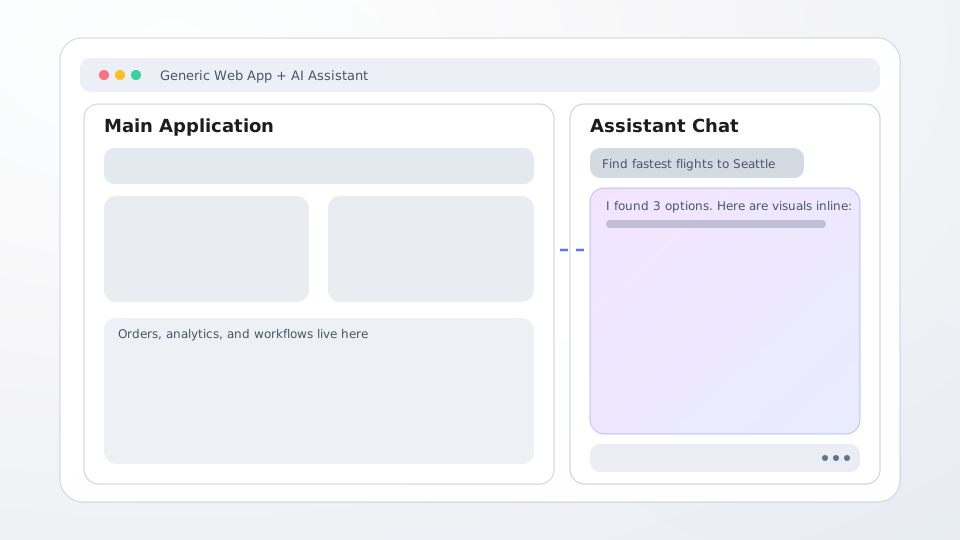
Chat Components are predefined UI blocks that the agent can invoke. The frontend team still owns the component implementation and behavior.
Why teams start here
- Fastest path to a reliable production experience
- Strong control over brand and behavior
- Easier trust and security posture from explicit contracts
Tradeoffs
- New UI shapes still require frontend releases
- Less flexible for novel, long-tail requests
Best fit
Core, high-trust, brand-critical flows.
2) Component Systems
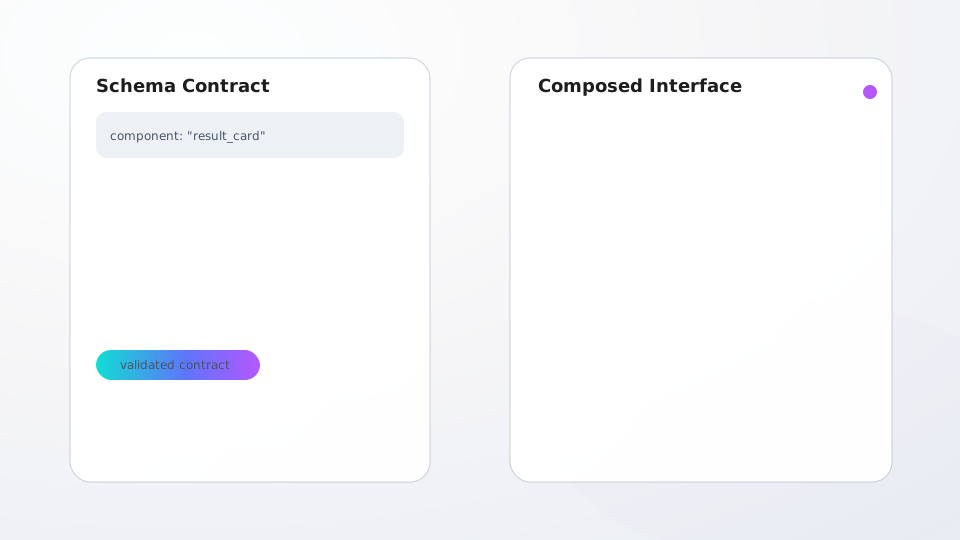
Component Systems use schema-driven composition. The model or backend provides structured payloads, and the frontend composes the screen from reusable primitives.
Why this pattern scales
- Lower coupling between backend behavior and frontend rendering
- Better coverage for long-tail UI permutations
- Consistent visual system even with many generated layouts
Tradeoffs
- More engineering investment up front
- Less pixel-perfect than handcrafted, one-off UI
Best fit
Enterprise and platform surfaces with broad variability and repeatable primitives.
3) Embedded Generative UI
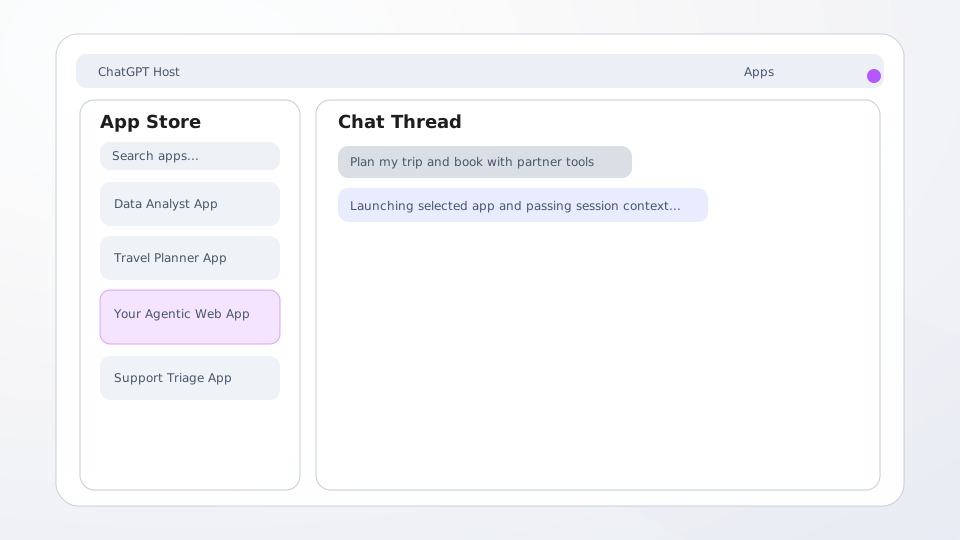
Embedded Generative UI is when a host app embeds external app surfaces and coordinates secure handoff between agent context and embedded execution.
Why teams adopt it
- Maximum flexibility for specialized experiences
- Natural path to ecosystem or app-platform strategies
Tradeoffs
- Hardest developer experience
- Inconsistent presentation across embedded surfaces
- More complex security and permission design
Best fit
Super-host products where extensibility is part of the core value proposition.
Where this is already being used (verified examples)
The examples below are based on public product/docs updates and are accurate as of February 21, 2026.
Chat Components examples
- OpenAI’s Spring Update (May 13, 2024) states ChatGPT users can “analyze data and create charts,” which is a concrete case of model responses invoking visual components inside chat.
- Salesforce announced Agentforce Cards (March 5, 2025), where agents embed Lightning Web Components in responses.
- Intercom’s Fin answer cards update (January 27, 2025) is another example of structured, reusable UI cards rendered inline in conversational responses.
Component Systems examples
- Microsoft Copilot Studio documents Adaptive Cards as JSON-defined custom UI, including inputs and submit actions, rendered in chat surfaces.
- Microsoft 365 Copilot API documents Adaptive Card response templates, including static and dynamic templates that map cleanly to schema-driven composition.
- Salesforce’s adaptive response formats (for example rich choice and rich link) show a standardized response schema approach for composing predictable UI affordances.
Embedded Generative UI examples
- OpenAI’s Apps SDK reference describes components rendered in ChatGPT and connected through a
window.openaibridge, with explicit iframe and CSP controls. - OpenAI’s ChatGPT apps lessons learned (February 4, 2026) notes they built roughly two dozen apps and discusses practical iframe architecture patterns for hosted app experiences.
- OpenAI’s Introducing GPTs (November 2023) and the GPT Store help article document the host + app-store model in ChatGPT.
- Anthropic’s Artifacts overview and Artifacts support docs describe interactive, side-panel app-like outputs embedded directly in the Claude host experience.
Getting started: Hashbrown
If you want to implement Generative UI in a web app today with Hashbrown, the core pattern is:
- Stream model output from your backend.
- Register renderable components in the frontend.
- Use
useUiChatso assistant messages can include UI trees, not just text.
The official setup in Hashbrown docs/README is:
- Install
@hashbrownai/{core,react,openai}. - Wrap your app with
HashbrownProvider. - Define model-callable components with
exposeComponent. - Use
useUiChat({ components: [...] })to render those components in assistant responses.
import { HashbrownProvider, exposeComponent, useUiChat } from "@hashbrownai/react";
import { s } from "@hashbrownai/core";

function App() {
  const { messages, sendMessage } = useUiChat({
    model: "gpt-4.1",
    system: "You are a helpful assistant that can render UI components.",
    components: [
      exposeComponent(FlightCard, {
        name: "FlightCard",
        description: "Show a flight option card",
        props: {
          airline: s.string("Airline name"),
          price: s.string("Formatted ticket price"),
        },
      }),
    ],
  });

  // render messages and call sendMessage(...)
}

export function Providers({ children }: { children: React.ReactNode }) {
  return <HashbrownProvider url="/api/chat">{children}</HashbrownProvider>;
}
References:
Getting started: CopilotKit (v2 APIs)
For CopilotKit, a practical v2 path is:
- Use the root
<CopilotKit>provider to connect to your runtime. - Use v2 chat components (for example
CopilotChatorCopilotSidebar). - Register v2 frontend tools with
useFrontendTooland arenderfunction for in-chat UI.
import { CopilotKit } from "@copilotkit/react-core";
import {
  CopilotChat,
  ToolCallStatus,
  useFrontendTool,
} from "@copilotkit/react-core/v2";
import { z } from "zod";
import "@copilotkit/react-core/v2/styles.css";

function ToolUIs() {
  useFrontendTool({
    name: "showFlightCard",
    description: "Display a flight option card in the chat UI",
    parameters: z.object({
      airline: z.string(),
      price: z.string(),
    }),
    handler: async ({ airline, price }) => `${airline} ${price}`,
    render: ({ args, status }) => {
      if (status !== ToolCallStatus.Complete) return <div>Loading card...</div>;
      return <FlightCard airline={args.airline ?? ""} price={args.price ?? ""} />;
    },
  }, []);

  return null;
}

export default function Page() {
  return (
    <CopilotKit runtimeUrl="/api/copilotkit">
      <ToolUIs />
      <CopilotChat agentId="travel-agent" />
    </CopilotKit>
  );
}
Notes for v2:
- Keep hooks/components from
@copilotkit/react-core/v2. - Import the provider from
@copilotkit/react-core(as the v2 docs specify). - Use Zod schemas for v2 tool parameters.
References:
Choosing the right pattern
My practical rule: choose per surface, not per company.
- Use Chat Components for trusted core workflows.
- Use Component Systems for scalable, long-tail generation.
- Use Embedded Generative UI only where ecosystem value clearly outweighs complexity.
Architecture notes that matter
- Keep UI contracts owned by frontend.
- Keep tool boundaries explicit (read, write, side effects).
- Keep agent behavior portable across model providers.
- Match security by pattern:
- Chat Components: strict, typed contracts.
- Component Systems: schema validation plus policy checks.
- Embedded Generative UI: sandboxing, origin boundaries, and explicit permissions.
Implementation progression I recommend
- Start with Chat Components for one critical workflow.
- Add Component Systems for breadth and speed.
- Add Embedded Generative UI selectively for ecosystem scenarios.
Keep one reference workflow (for example, flight booking) across all three stages. It makes tradeoffs concrete and easier to explain to stakeholders.
Conclusion
Generative UI is not just a model capability. It is a design and systems decision.
In 2026, the strongest strategy is intentional composition:
- Start constrained.
- Expand with structure.
- Embed only where leverage is clear.